ETOMPLAN

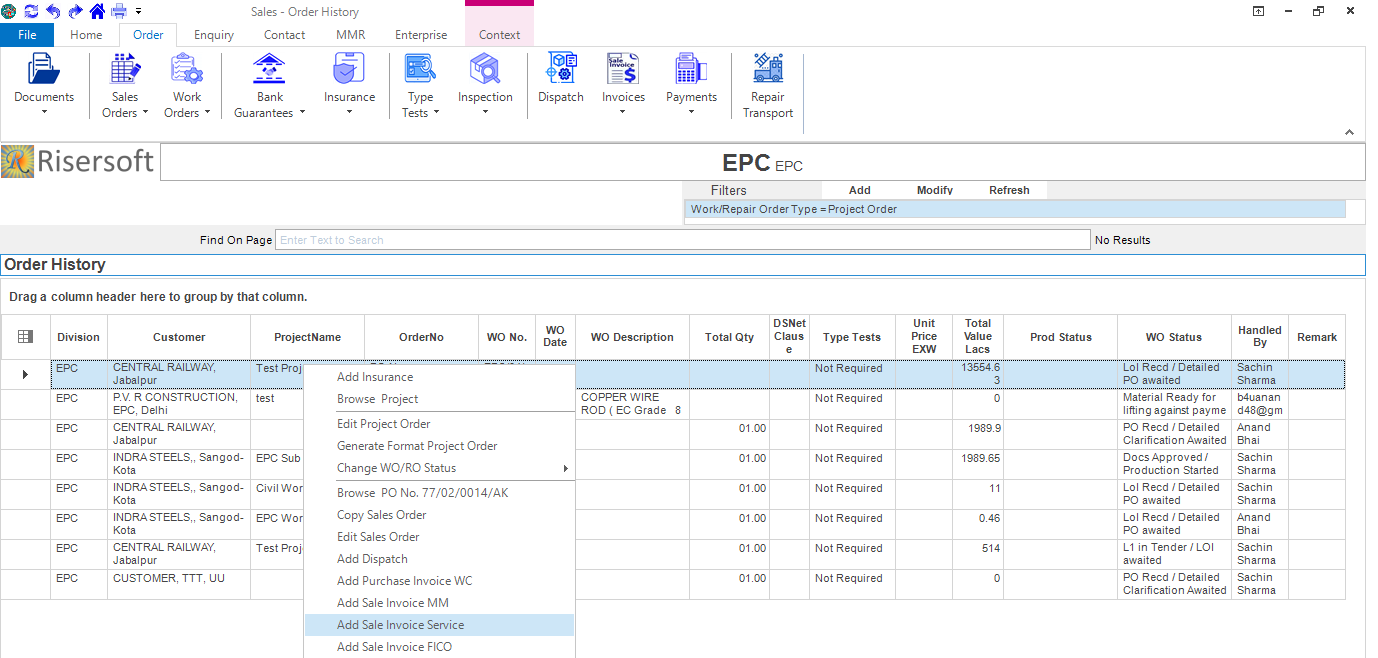
Go to -> Sales app -> Order -> Work Orders -> Order Status -> List All -> Right Click -> Add Sale Invoice Service.
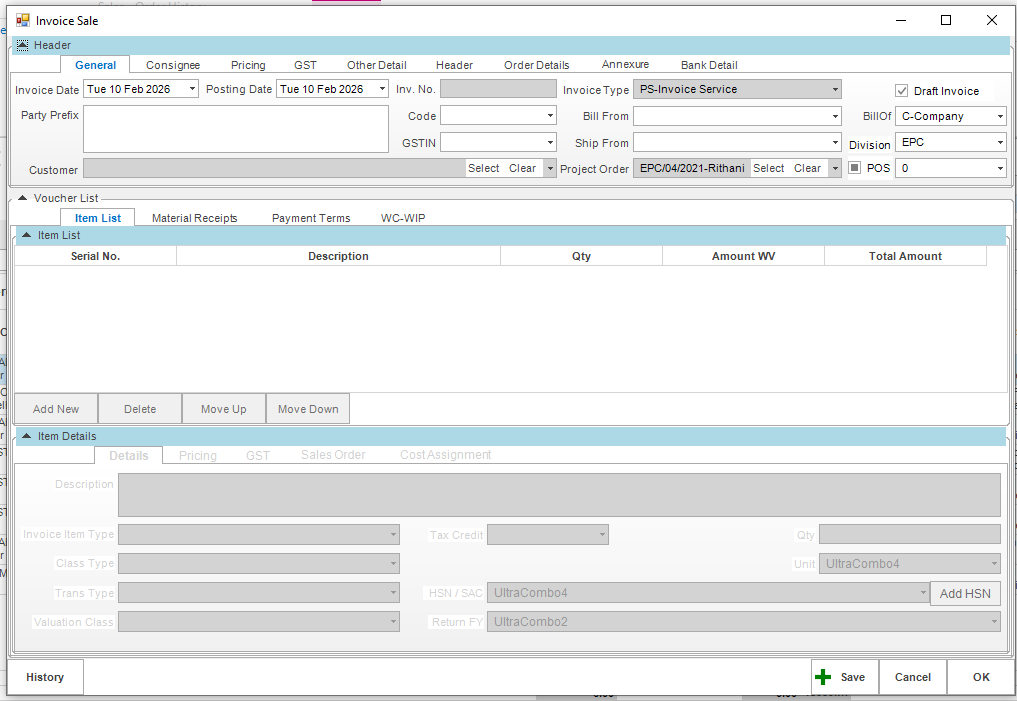
Sale Invoice Service form opens like this, fill the details and save it.
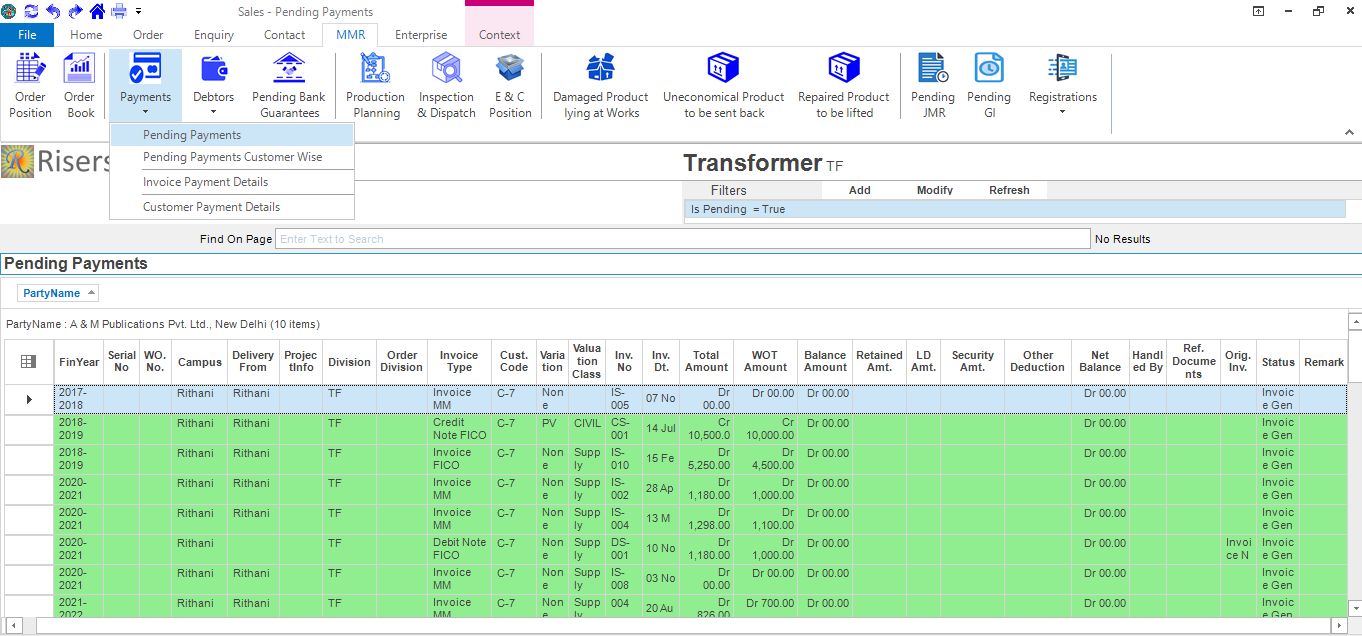
List: Go to MMR -> Payments -> Pending Payments in sales app.
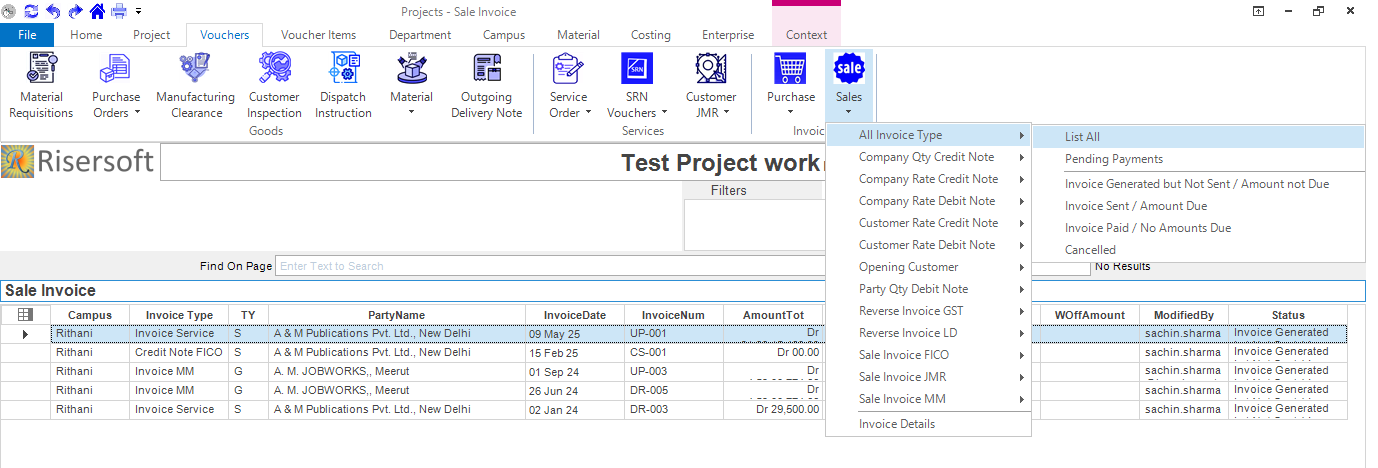
Go to Projects->Vouchers->Sales->All Invoice Type.
Please check your uploaded file extension.
Please Select a file.